Real sales and leads in your ad platforms, each counted once

Tracking Nexus is a WordPress plugin that sends the leads your forms accept and the orders your store is paid for to Meta, Google Ads, GA4, TikTok, Pinterest and Snapchat after the visitor's consent, from the browser and, for Meta, TikTok, Pinterest and Snapchat, from your own server too.

Every feature on this page comes with every plan.

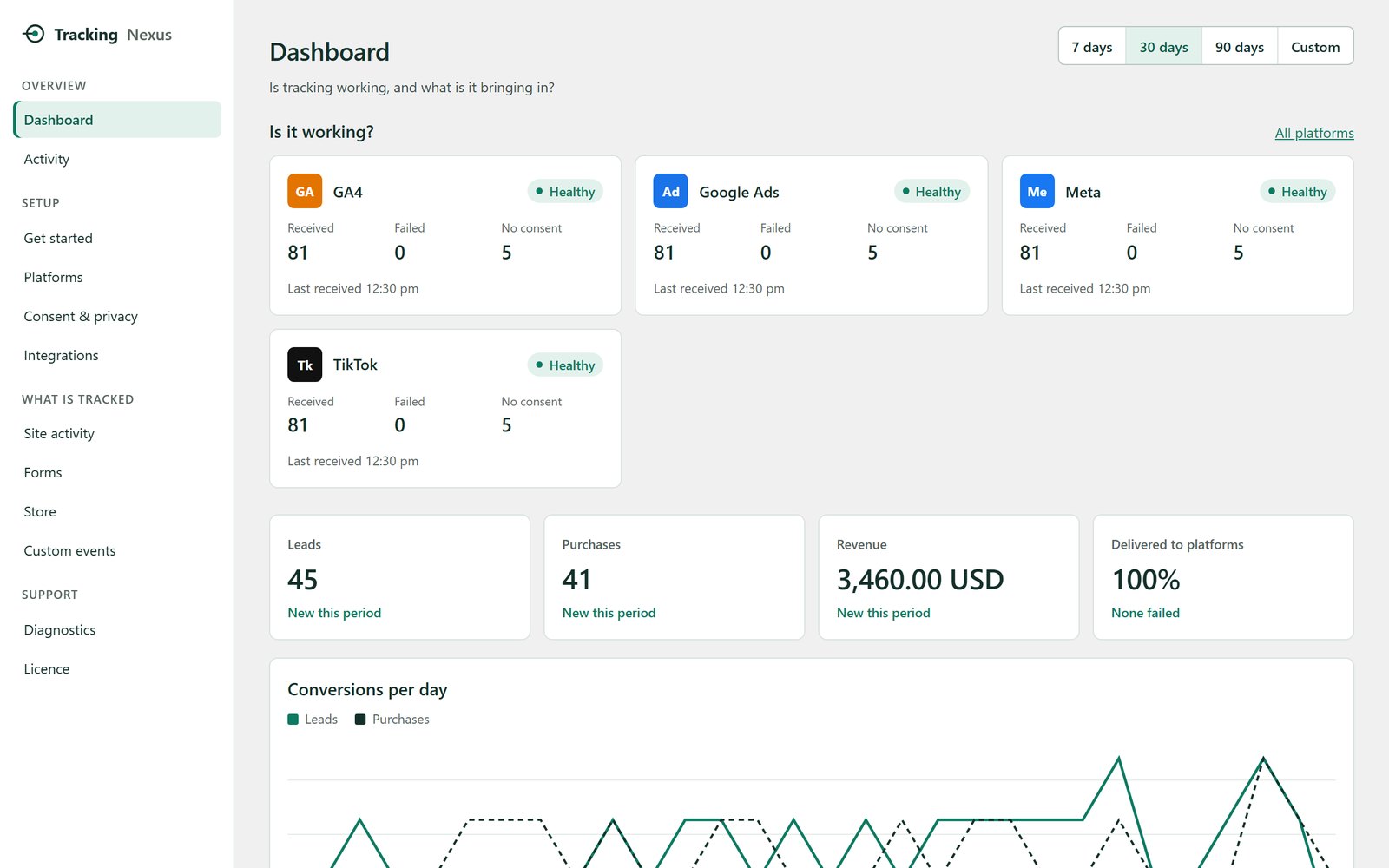
The Tracking Nexus dashboard: leads, purchases, revenue and the health of each platform

Sales that still arrive when the browser loses them

When an ad blocker or a closed tab stops the pixel, the copy Tracking Nexus sends from your WordPress server still reaches Meta, TikTok, Pinterest and Snapchat, and GA4 can take refunds and purchases from it too. Both copies share one event ID, so the platform counts the sale once. There's no server container to run.

Server-side tracking for WordPress

Consent handled by the banner you already have

Tracking Nexus reads the visitor's choice from your consent plugin or the WP Consent API, and nothing reaches any platform before they make it. Google Consent Mode v2 stays in step with that choice.

Google Consent Mode v2 for WordPress

Know which campaign brought each lead and sale

The campaign tags and ad click ID behind every form lead and WooCommerce order are saved, after consent. Your Dashboard adds up leads, purchases and revenue by source, medium and campaign, inside WordPress.

WooCommerce UTM tracking and attribution

Numbers you can trust from the first day

Tracking Nexus counts what really happened. A lead counts only when your form plugin accepts the submission, so a form the plugin rejected never reaches your ads. A purchase counts when WooCommerce confirms the payment; bank transfer and cash on delivery orders count when you mark them Completed.

Your own visits don't inflate the numbers: your team (staff roles, and any IP addresses or ranges you list), bots, staging and other copies of the site that aren't live, orders created in the admin or at a point of sale, and subscription renewals are left out, each with its own switch.

Each conversion carries one event ID in the browser and on the server, so platforms that receive both count it once, and GA4 purchases come from one or the other, never both. Purchase value can include or leave out tax, shipping and fees, so the revenue your ads optimise for matches the number you report on.
See what every platform did with each conversion

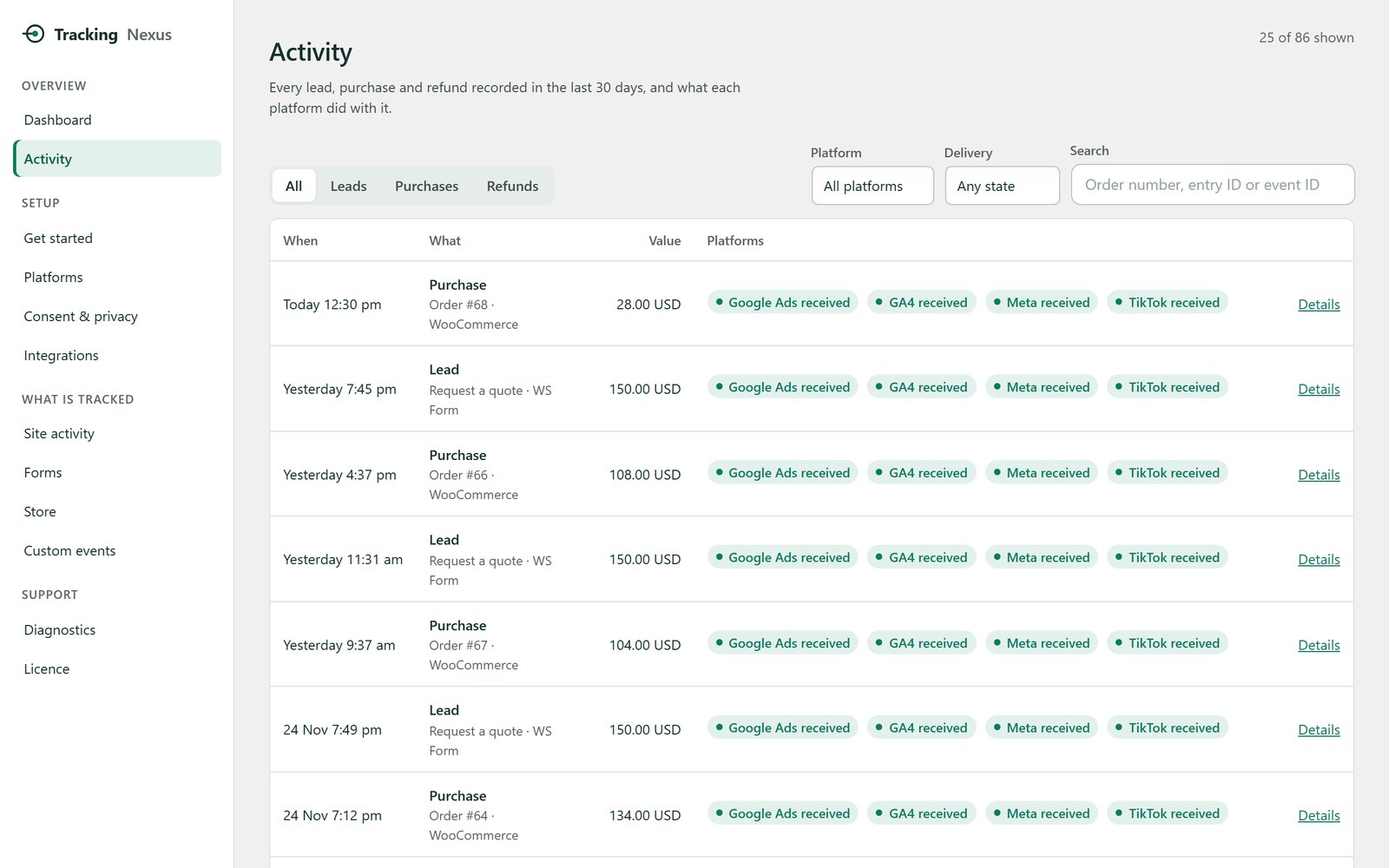
To check that a conversion reached Meta or Google, open Activity in Tracking Nexus. It lists your recent leads, purchases and refunds with each platform's result in words (received, waiting, failed or not sent), and you can filter by platform or show only the failures. Open one conversion to see each delivery, the consent it was sent under and where the visitor came from. A failed server delivery can be sent again from the same screen.

On the WooCommerce orders screen, a Tracking column shows whether each order was sent and, if it wasn't, why. If a platform refuses your access token or the background worker stops, Tracking Nexus warns you in the WordPress admin and in Site Health, so you hear about it before your ads report goes quiet. Diagnostics has the health checks, the last day's deliveries per platform and a system report you can copy when you ask for help.

Activity: what each delivery state means

Copy the system report for support

Tracking Nexus Activity: what every platform did with each conversion

A site that stays fast, and an admin that stays quiet

In the browser, Tracking Nexus is one script of about 16 KB gzipped, and its build is refused if it grows past 16 KiB. Server copies wait in a queue on your own site. A background worker sends them, usually within a minute or two, so no visitor's page waits for a platform to answer. If you want pages lighter still, an optional setting holds the ad scripts until the visitor first touches the page; anyone who leaves before that is then counted from your server only.

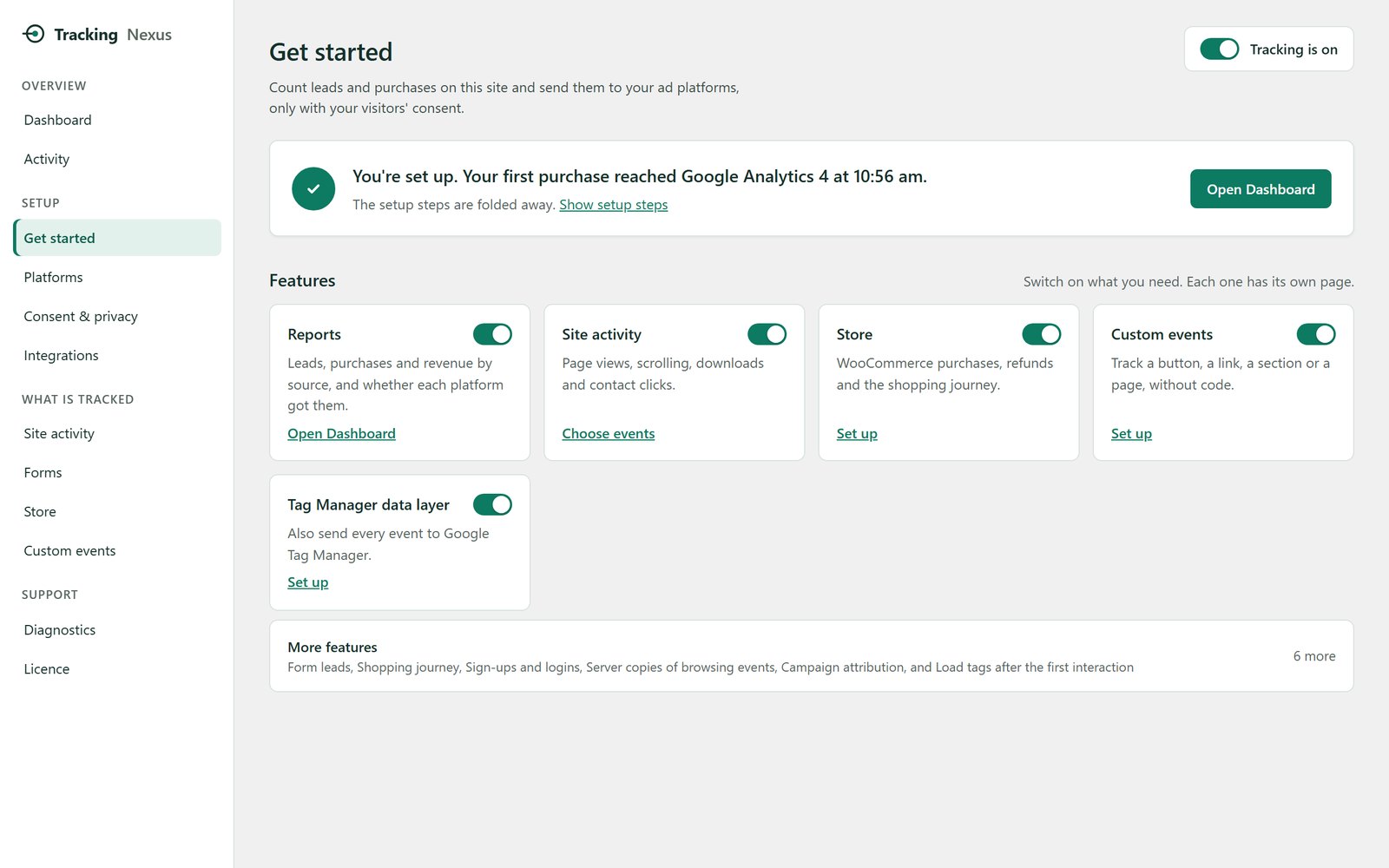
Go live in under 5 minutes with the Get started checklist. Each platform has its own page with its events and one switch per event, so you never build a tag in Google Tag Manager unless you want to. Other plugins' notices are kept off Tracking Nexus screens.

Tracking Nexus Get started: set up in minutes

Extra pixels, shopping events and a data layer, in every plan

  • Up to five pixels each for Meta, GA4 and Google Ads, each with its own events and pages
  • Site activity events: page views, site search, scroll depth, time on page, clicks on phone, email and messaging links, file downloads, sign-ups and logins
  • The shopping journey from product views and add to cart to checkout
  • A data layer for Google Tag Manager, if you build your own tags
  • Settings export and import, for moving a set-up to another site

Platforms

Form plugins and WooCommerce

Custom events for the clicks that matter to your business

Turn the actions that matter on your site into custom events: a click on a button or link, a section coming into view, or a visit to a page address, all set up without code, or elements you tag in your page builder. Developers can send events from code. Each one follows the same consent rules, appears on every platform's page with its own switch, and can count as a custom event, a contact or a lead.

Add custom events without code

Track custom events in code

Every other platform gets the same conversions

Check out all the platforms we work with

Every feature, on every plan

Every plan has every feature; plans differ only in how many sites they cover. Try it worry-free with our 30-day money-back guarantee.