Home › About
About Tracking Nexus
What you can check before you trust a plugin with your tracking
Tracking Nexus is a WordPress plugin that sends your form leads and WooCommerce sales to your ad platforms after the visitor's consent, and shows you what it sent.
Built so your ads learn from what really happened
If you've set up conversion tracking on WordPress before, you've probably met one of two kinds. A free pixel plugin covers part of the job. A Tag Manager server container covers all of it, and brings its own hosting, a monthly bill and someone who has to know Tag Manager.
Tracking Nexus sits between them. It counts the leads your forms accept and the orders your store is paid for, sends each one from the visitor's browser and from your own WordPress server, and waits for the visitor's consent before anything leaves. You set it up inside WordPress, and you can go live in under 5 minutes.
Tested against the real plugins it works with
Tracking Nexus reads other plugins (your forms, your store, your cookie banner), so it's checked against the real ones:
-
Form plugins. Each of the 9 integrations is tested with the real plugin, at a named version: WS Form PRO 1.12.21, Fluent Forms 6.2.17, WPForms Lite 2.0.4, Contact Form 7 6.2.5, Forminator 1.58.4, Formidable Forms Lite 7.0, Ninja Forms 3.16.1, SureForms 2.14.1 and Bit Form 3.5.0.
-
Consent plugins. Each supported consent plugin is tested with the real plugin: nothing sent before the visitor's choice, the platforms after accepting, nothing after declining.
-
Live checks. On 26 November 2026, a GA4 purchase sent from the server was checked on a real GA4 property: it showed in Realtime as a key event on the visitor's own session, then a full refund followed.
Anything that hasn't passed a check like that stays switched off, and shows in the plugin as Coming soon until it has.
Two limits are built into how it's made. The browser script can't grow past 16 KiB gzipped, because the build refuses it. And customer details for ad matching are hashed in PHP on your server; the browser script has no hashing code at all.
What you can read before you buy
The changelog
lists every release and what changed, in plain words.
The roadmap
shows what's planned, in progress and in testing, with no promised dates.
The docs
are open to everyone, customer or not.
The community
is where customers ask questions, report bugs and request features, and anyone can read it.
The prices
are on the pricing page, for one, 10 or 50 sites.
How you get help
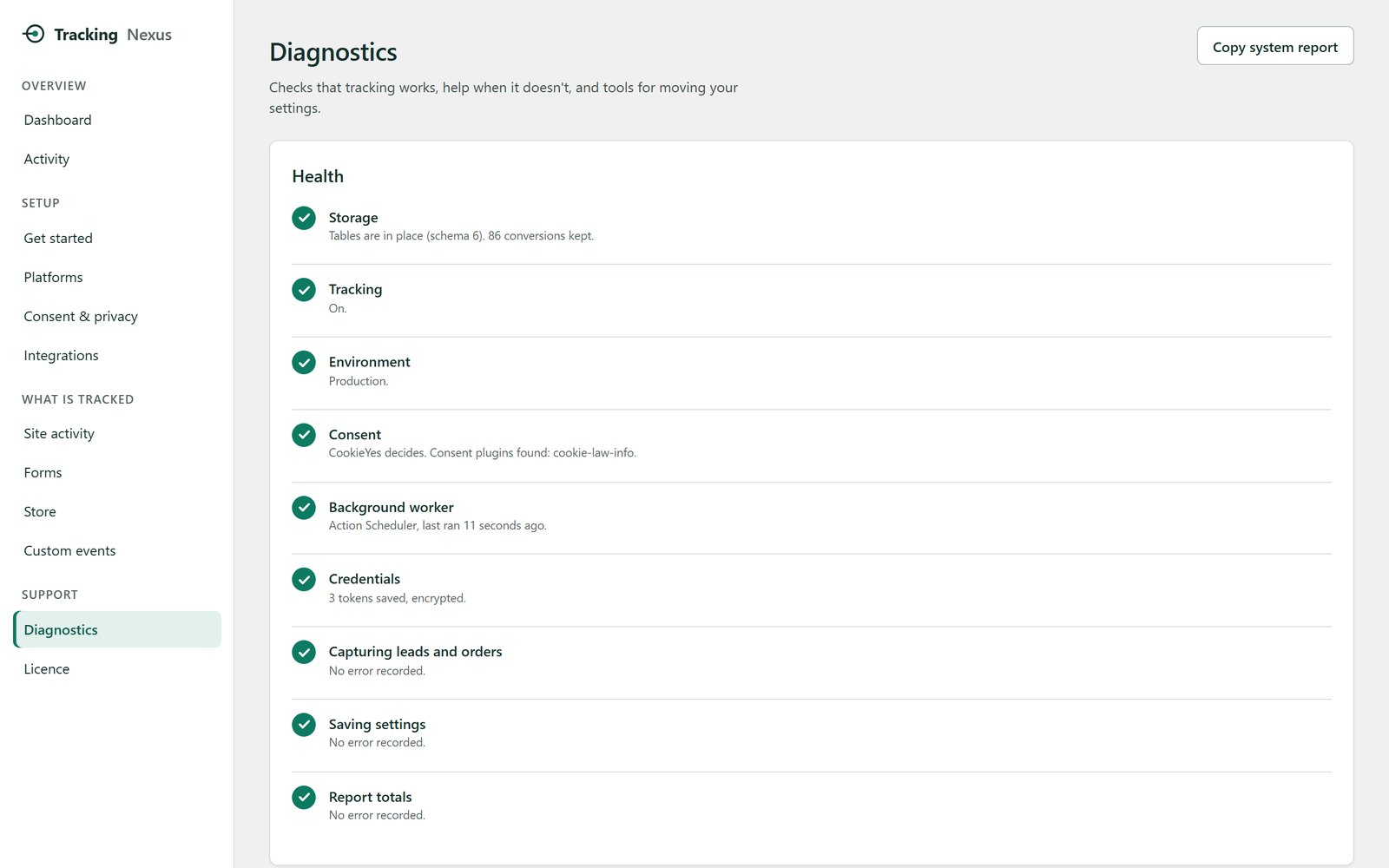
Click Help on any page of this site to chat. Customers can also get help from their account at my.trackingnexuswp.com. When something isn't working, Diagnostics in the plugin gives you a system report to copy, so you don't have to describe your set-up from memory. For anything else, email info@trackingnexuswp.com.
Check it on your own site
Every plan has every feature; plans differ only in how many sites they cover. Try it worry-free with our 30-day money-back guarantee.