Home › Features › Consent Mode
Google Consent Mode v2 for WordPress, from the consent plugin you already use
Tracking Nexus reads each visitor's choice from your cookie banner and applies it to every platform it sends to, Google and the rest, so you don't add a second banner or write consent code.
Works with 8 consent plugins and the WP Consent API, each tested with the real plugin.
Nothing reaches your platforms before the visitor chooses
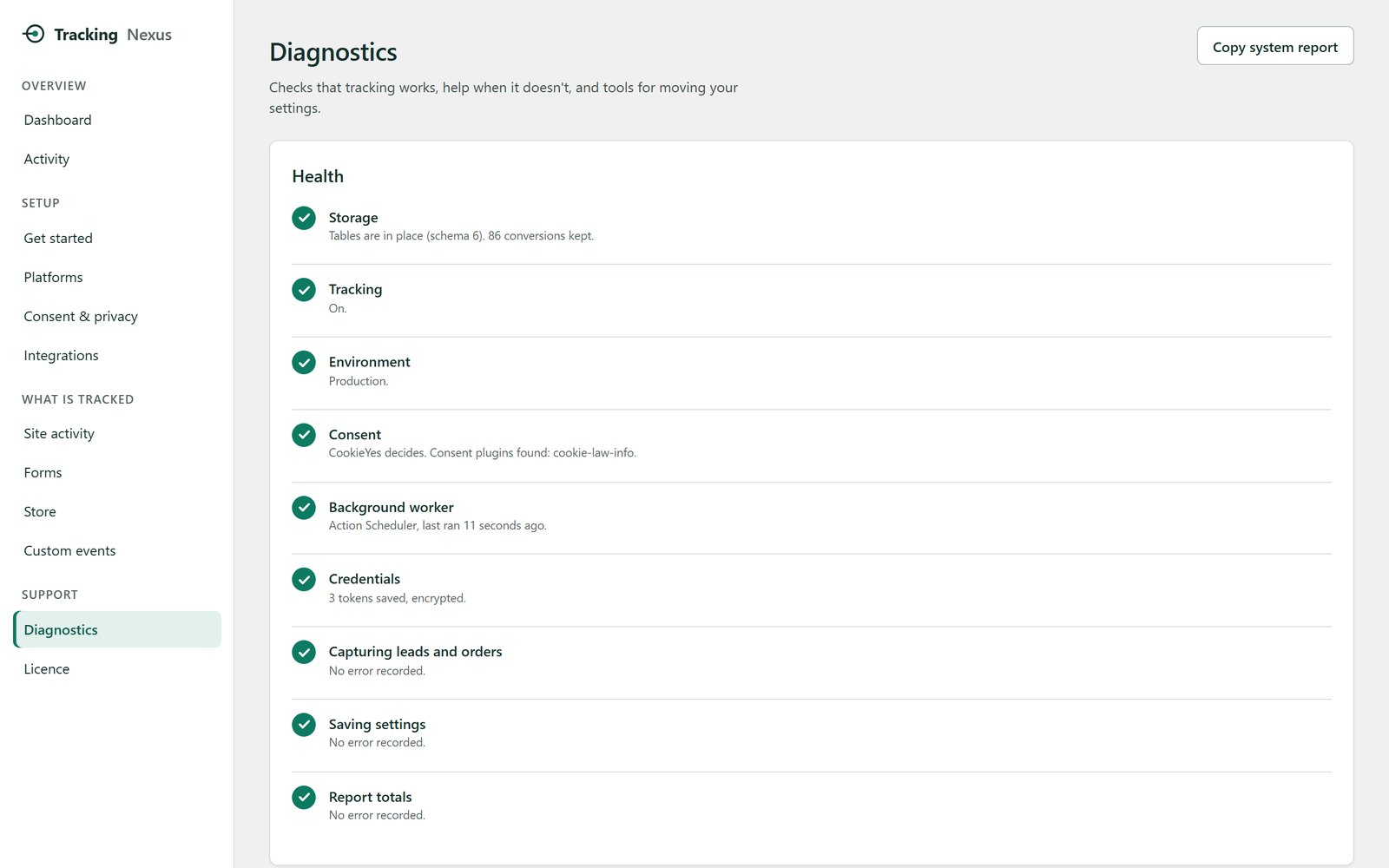
Tracking Nexus handles consent by waiting for it. On the Consent & privacy screen you pick who decides (Tracking Nexus suggests the consent plugin it finds on your site). Until a visitor chooses in that banner, no pixel and no Google tag loads, and nothing is sent from the browser or your server. When they choose, Tracking Nexus switches on only what the choice allows. If they decline, that purpose gets nothing.
Two safeguards sit behind that. A server copy still waiting in the queue is checked against the visitor's consent again just before it's sent, so a choice withdrawn a minute later still counts. And if the consent plugin you picked is switched off, Tracking Nexus pauses tracking rather than guess.
Your own Dashboard still counts every lead and sale. A visitor who declined analytics appears as "(no analytics consent)" in place of a source, and the report totals hold no personal data.
Consent Mode v2, set once and kept in step
Google's tags follow each visitor's choice, through four Consent Mode v2 signals: ad_storage, analytics_storage, ad_user_data and ad_personalization. One tool on your site should send them, because two give Google mixed signals.
If your consent plugin already sends Consent Mode, Tracking Nexus sees that and leaves it to the banner. If it doesn't, choose Tracking Nexus on the Consent & privacy screen. It sets all four signals to denied at the top of the page head, before any Google tag, with wait_for_update at 500 milliseconds so the banner has time to answer, then sends the update the moment the visitor chooses. If GA4 and Google Ads both go through your Tag Manager container instead, Tracking Nexus writes no Consent Mode signals; your container and consent plugin set them.
Tracking Nexus uses basic Consent Mode. The Google tag loads only after the visitor allows analytics or advertising, so Google gets nothing from someone who hasn't chosen, not even the cookieless pings that advanced mode sends. Advanced mode uses those pings to model conversions Google can't see, as Google describes it. The trade-off is fewer modelled conversions in Google Ads and GA4, in exchange for nothing reaching Google before a visitor agrees.
Works with the consent plugin you already have
Pick the one that shows your banner:
 Complianz
 CookieYes
 Cookie Notice
 CookieAdmin
 SureCookie
 GDPR Cookie Compliance
 WPConsent
 Real Cookie Banner
 WP Consent API
Each consent plugin was tested with the real plugin: nothing sent before the visitor's choice, the platforms after accepting, nothing after declining. More are on the way: see the roadmap. Sites whose visitors don't need prior consent can choose "No consent required" instead.
One choice, followed by every platform
Google isn't the only platform that needs consent, and Tracking Nexus doesn't treat it as one. The visitor's single choice decides for all of them: GA4 follows analytics, while Meta, Google Ads, TikTok, Pinterest and Snapchat follow advertising.
The same choice covers what Tracking Nexus keeps. Campaign tags (UTMs), the landing page and the referring site are saved only with analytics consent. Ad click IDs also need advertising and matching permission (ad_user_data). If you use Tag Manager, the data layer pushes nothing before consent.
Hashed details, encrypted tokens and a 7-day record by default
- Email and phone are hashed with SHA-256 in PHP on your server before they go to a platform. The browser has no hashing code.
- When Tracking Nexus keeps a visitor's IP address or browser details for server copies, they're stored encrypted, and so are your platform tokens.
- Detailed records of each lead and order are kept for 7 days by default (you choose 1 to 30). Report totals contain no personal data.
- Global Privacy Control and Do Not Track: a switch, off by default, makes Tracking Nexus honour those browser signals.
- Tracking Nexus adds its section to WordPress's privacy policy guide and works with WordPress's own export and erase tools for personal data.
Check that consent is working
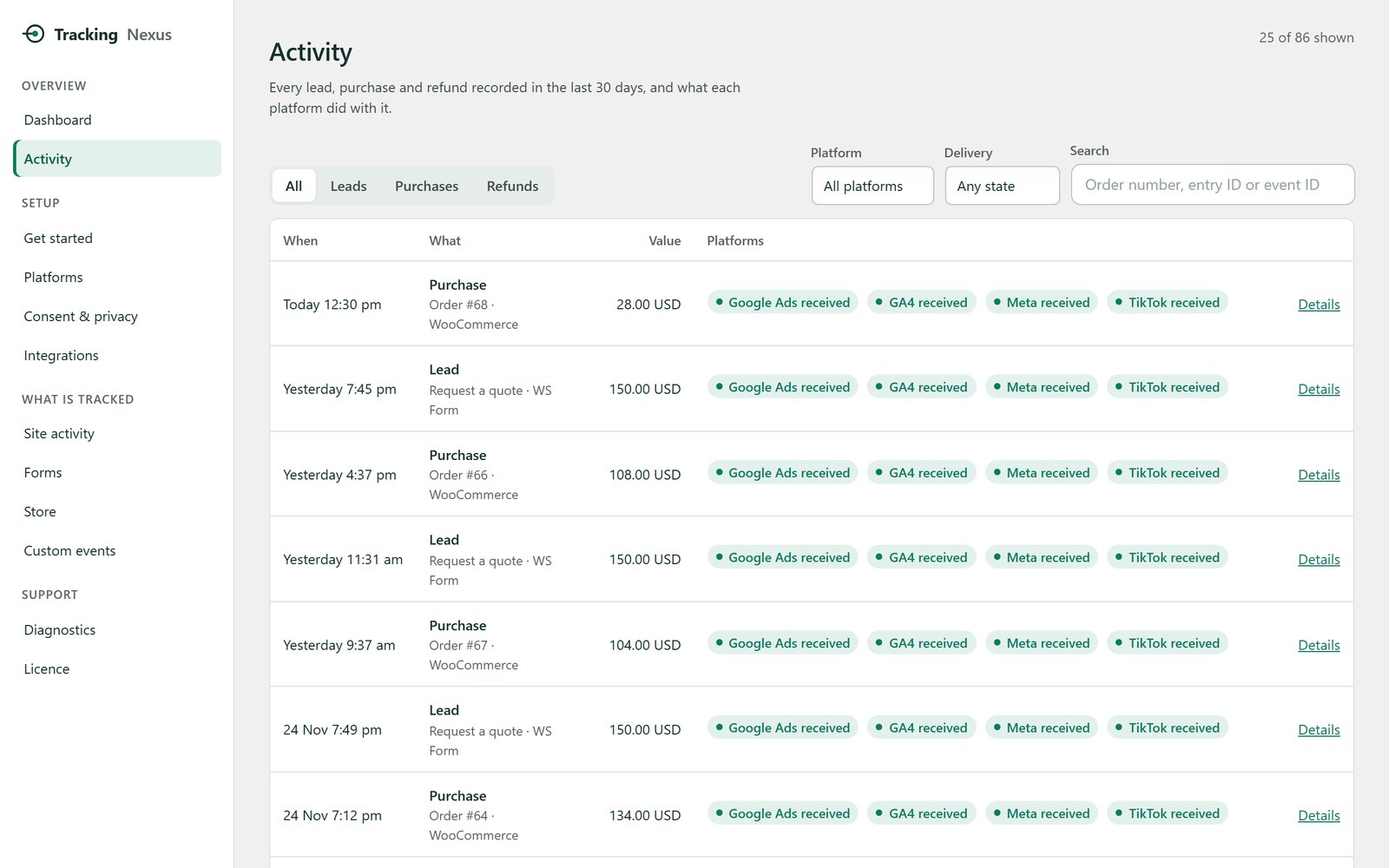
Open your site in Google's Tag Assistant with a fresh browser. Before you choose in the banner, no Google tag loads; after you accept, the tag loads and the consent update appears. In Tracking Nexus, the Consent & privacy screen says which plugin decides and which tool tells Google about consent, and Activity lists the events a visitor's choice held back under "No consent".
Questions about Consent Mode v2
Do I need Consent Mode v2 if I don't run Google Ads?
If you use GA4, yes. Consent Mode is how GA4 learns what each visitor allowed, so it isn't only an ads setting. With Tracking Nexus, GA4 loads only after the visitor allows analytics.
Is Consent Mode v2 free?
Consent Mode itself is a free Google feature. You don't need a paid consent platform to use it: any supported consent plugin, the WP Consent API or your own code will do, and Tracking Nexus sets it in every plan.
What happens to my GA4 data if visitors decline?
GA4 gets nothing from them, because the Google tag doesn't load. Your Tracking Nexus Dashboard still counts their leads and sales, under "(no analytics consent)" in place of a source.
Does Tracking Nexus make my site GDPR compliant?
No plugin can do that on its own: compliance depends on your whole site, your banner's settings and your privacy policy. What Tracking Nexus does is make every tag and every server copy follow the choice your banner records.
More in every plan
See every feature- Server-side tracking Sales that arrive when the browser loses them
- Attribution Which ad brought each lead and sale
 Meta
Pixel and Conversions API
 Google Ads
Conversions and enhanced conversions
 Google Analytics 4
Events and ecommerce
 TikTok
Pixel and Events API
 Google Tag Manager
Data layer and server-side Tag Manager
Let your banner decide for every platform
Consent handling comes with every plan. Try it worry-free with our 30-day money-back guarantee.